![Oculo Logo_Logo Full_Green_L.png]](https://help.oculo.ai/hs-fs/hubfs/Oculo%20Logo_Logo%20Full_Green_L.png?height=37&name=Oculo%20Logo_Logo%20Full_Green_L.png)
1. Charge the camera
Before using the camera, ensure it is fully charged.
-
Open the USB port cover on the side of the camera
-
Connect the camera to a power source or laptop using the supplied cable
-
A solid red LED indicates the camera is charging
Note: The supplied cable is USB-C to USB-C.
2. Install the micro SD card
-
Slide the bottom half of the left side panel downwards to access the battery compartment
-
Insert the micro SD card into the slot located at the bottom of the compartment
Recommended: Use a 256GB micro SD card or larger for optimal performance and sufficient storage.
3. Camera settings
To access settings:
-
Swipe down on the camera screen to open the menu
Turn on the camera and update the following settings directly on the camera screen:
-
Wi-Fi: ON
-
Bluetooth: OFF
-
GPS: OFF
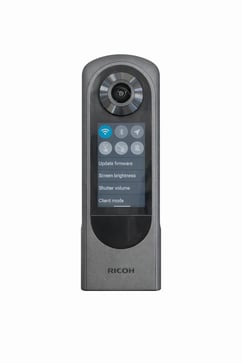
Please ensure the following:
-
Client Mode: OFF (toggle should be grey)
-
To display the QR code for app connection, go to:
Settings → Communication Information
4. Connecting the Ricoh camera to the Oculo mobile app
-
Open the Oculo mobile app. Sign in and select the site you are scanning
-
Switch on the Ricoh camera
-
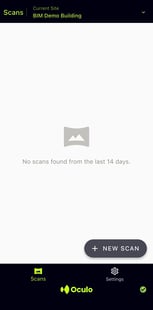
Select “+ New Scan” in the app
-
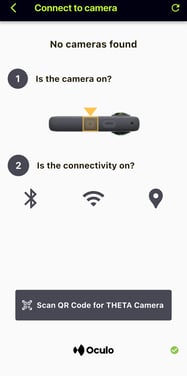
Once the camera Wi-Fi is detected, select “Scan QR code for THETA Camera”
-
Scan the QR code shown under Communication Information on the camera
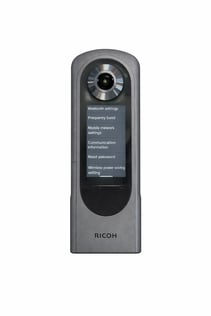
-
The camera will connect and you can begin recording
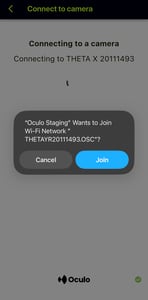
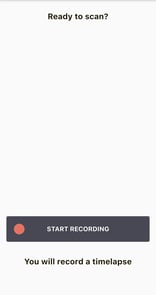
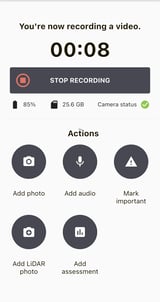
Note: After the first successful scan, the app will remember the camera. As long as the camera is switched on, it will automatically reconnect for future scans.
5. Uploading scans
Uploading works the same way as with the X5 camera:
-
Mobile upload: Upload directly via the Oculo mobile app: Scan Upload - Mobile app
-
Web upload: Plug the camera into your computer with the USB cable and upload via the Oculo web platform: Scan Upload - Web
Important: Ricoh cameras produce one single MP4 file per scan.